
GS1 Barcode Generator: Create EAN, UPC & GS1-128 Barcodes Online
Need a GS1 barcode generator? Learn how to create EAN-13, UPC-A, GS1-128, and DataMatrix barcodes, check digits, and GTIN requirements.
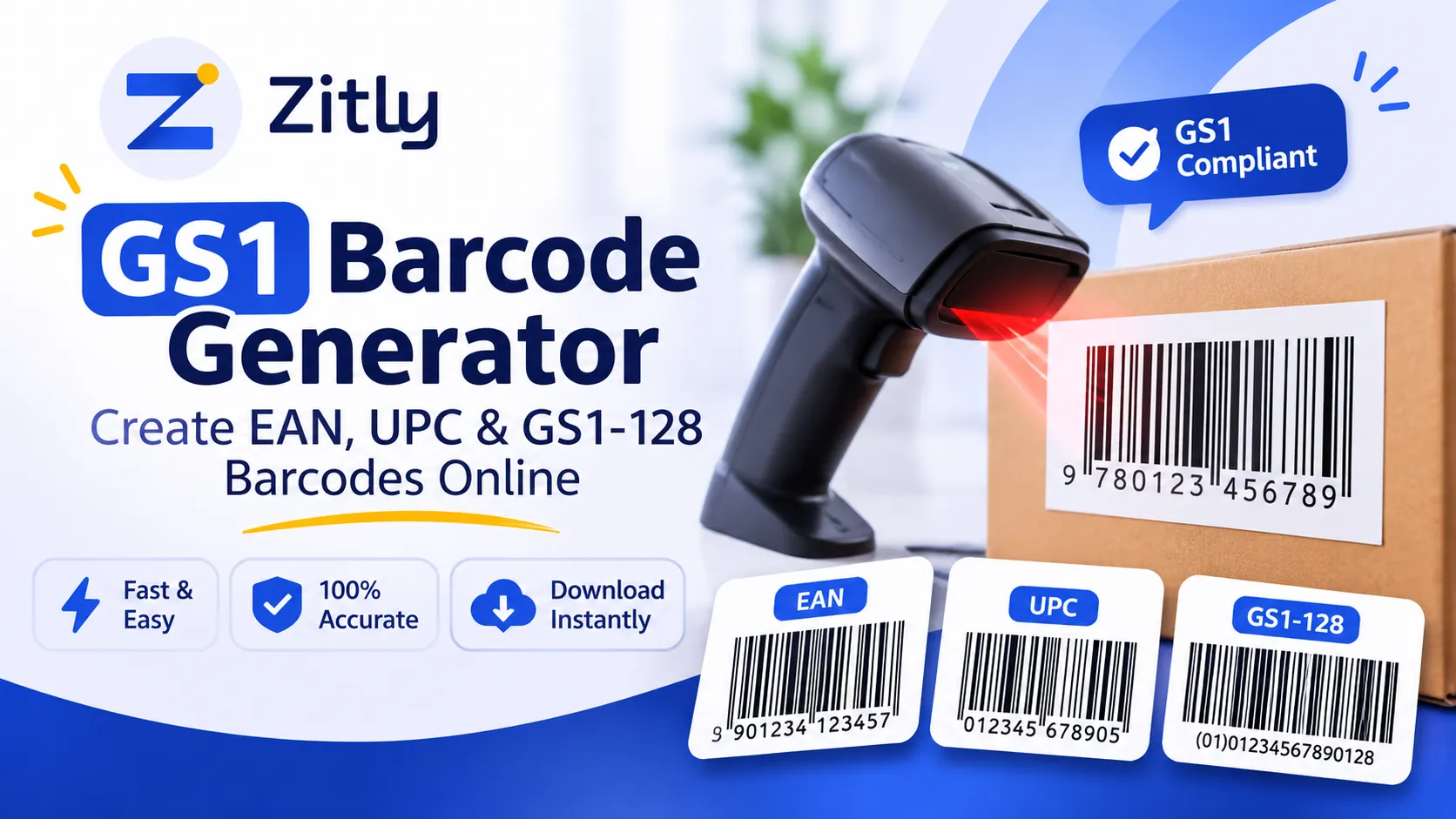
A GS1 barcode generator converts a valid GS1 number, usually a GTIN, into a scannable barcode image. It does not issue the number. You license GTINs from your local GS1 Member Organization, then use a generator to create EAN-13, UPC-A, GS1-128, or GS1 DataMatrix symbols. |
Searching for a GS1 barcode generator usually means one of two things. You need a barcode image today, or you need barcodes that retailers and marketplaces will accept. Those are different jobs. This guide covers both: formats, check digits, free and paid tools, Excel workflows, registration, and the mistakes that cause scanning failures. It suits small sellers, manufacturers, and warehouse teams.
How a GS1 Barcode Generator Works
A generator takes the data you enter, applies the encoding rules of the chosen symbology, and outputs bars or modules as a PNG, SVG, or PDF. Most tools accept your number without checking who owns it. A barcode can therefore look perfect and still be unauthorized. GS1 is the only official provider of GTINs and EAN and UPC barcodes, so the image is only the carrier.
Always match the symbology to the number: a 14-digit GTIN does not fit an EAN-13 symbol.
Understanding GS1 Barcodes and GTINs
GS1 is the standards organization behind the global barcode system. Its central identifier is the Global Trade Item Number (GTIN), which identifies any product or service that can be priced, ordered, or invoiced. The brand owner normally allocates GTINs, and every different product needs its own. A GTIN combines a GS1 Company Prefix, an item reference you assign, and a check digit.
The barcode carries only that number. Descriptions and prices live in a database that the scanner queries. In short, the GTIN is the identity and the barcode is the carrier.
This guide follows the GS1 General Specifications and other official documentation, but requirements differ by country and retailer, so confirm them with your GS1 office.
Types of GS1 Barcodes and When to Use Each
Format | What it encodes | Best use |
|---|---|---|
EAN 13 | 13 digit GTIN | Retail products in India, Europe, and most countries |
UPC A | 12 digit GTIN | Retail products in the United States and Canada |
GS1 128 | Application Identifiers plus data | Shipping labels, batch, expiry, serial numbers, pallets |
GS1 DataMatrix | GTIN plus attributes in a small 2D symbol | Healthcare, small items, traceability |
GS1 DataBar | GTIN, or more data in expanded versions | Small items and fresh produce |
Choose by where the product is scanned. Retail checkout needs EAN-13 or UPC A, and North American sellers usually work with UPC A and GS1 US GTINs. Warehouses need GS1 128 or GS1 DataMatrix. Cartons often use ITF 14.
A plain Code 128 symbol is not GS1 128, because GS1 128 begins with a special FNC1 character. A Code 128 generator used for GS1 data, sometimes labeled C128 or GS128, must be switched to GS1 mode.
A UPC A number can be written as 13 digits by adding a leading zero, so modern systems treat EAN 13 and UPC A as the same GTIN family. If you sell internationally, ask each retailer which presentation it expects.
How to Use a GS1 Barcode Generator Online
Confirm your GTIN. Obtain it from your GS1 Member Organization first.
Select the symbology. Pick EAN 13 for retail or GS1 128 for logistics.
Enter clean data. In EAN 13 mode, enter 12 digits and let the tool add the check digit, or enter all 13 and confirm they match.
Export correctly. Download SVG or high-resolution PNG. EAN 13 nominal module width is 0.33 mm, and GS1 allows 80 to 200 percent of nominal size. Never stretch the image.
Place it on artwork. Keep the blank quiet zones on both sides clear.
Test it. Scan the printed result with a phone and a real scanner. For retail launches, have print quality verified.
Example scenario: a small food brand selling through a marketplace needs a separate EAN-13 for each flavor and pack size, because different products need different GTINs.
Free vs Paid GS1 Barcode Generators
A free GS1 barcode generator online can create an image. It cannot create a legitimate identifier.
What free tools can do?
They render symbols, export images, and handle small batches. Some also calculate check digits.
What free tools cannot do?
They cannot license a GTIN, prove uniqueness, or guarantee print quality. Read the terms too. TEC IT, for example, states that its free generator is for noncommercial and private use, and commercial use needs written approval. Its higher volumes require a yearly subscription. So any generator price covers software, while GS1 prices the identifier separately.
Before relying on any tool, generate a test barcode and compare its check digit with an official calculator.
GS1 Barcode Check Digit Calculation
The check digit is the last digit of a GTIN. It lets scanners catch typing errors. GS1 uses a modulo 10 method:
Write the number without its check digit.
From the right, multiply digits alternately by 3 and 1.
Add the results.
The check digit is the amount needed to reach the next multiple of 10, or 0 if already there.
Worked example (verified): Take 501234567890. Reading from the right, digits 0, 8, 6, 4, 2, 0 add to 20, and 20 times 3 is 60. The other digits, 9, 7, 5, 3, 1, 5, add to 30. The total is 90, so the check digit is 0, and the full EAN-13 is 5012345678900. A check digit calculator from your GS1 office confirms this.
GS1 128 Barcode Generation and Application Identifiers
A GS1 128 barcode generator encodes element strings. Each one is an Application Identifier (AI) followed by data. AI 01 is the GTIN, AI 17 is the expiry date as YYMMDD, and AI 10 is the batch or lot number. Example: (01)09506000134352(17)271231(10)LOT45A. The brackets help humans read it and are not encoded.
In practice, a distributor labeling a case might encode the carton GTIN, expiry date, and lot together, so receiving staff scan once instead of keying three values.
Fixed-length AIs such as 01 and 17 need no separator. A variable-length field such as a lot number must end with an FNC1 character when more data follows. Many generators let you type a code for it; TEC IT uses \F. Placing the variable field last avoids the separator. To test, set your scanner to show symbology identifiers: GS1 128 usually appears with ]C1 at the start.
GS1 DataMatrix and 2D Barcodes
A GS1 DataMatrix generator produces a square symbol that holds a GTIN with lot, expiry, and serial data in very little space. It is common in healthcare. Compared with linear codes, GS1 2D output needs an imager, strong contrast, and a clear quiet zone. GS1 grades 2D print quality under ISO/IEC 15415.
Sunrise 2027 is a GS1 industry initiative, not a regulation. It aims for retail checkouts to read 2D codes, including GS1 DataMatrix and QR codes with GS1 Digital Link, alongside EAN and UPC by the end of 2027. For a standard QR code that is not tied to GS1 data, follow our guide on how to create a QR code or use a free QR code generator.
Check which 2D format your retail or healthcare customer accepts before printing.
Excel, Software, and App Options
Excel does not draw GS1 barcodes natively. You can use barcode fonts, an add-in, or software that exports images. Fonts usually need data converted into a special encoded string first, and GS1 128 conversion must also insert FNC1 correctly. That is why a GS1 128 barcode generator for Excel normally relies on an add-in.
For a handful of labels, a web generator is faster. For hundreds of rows, an add-in saves time.
GS1 barcode generator software suits repeat jobs, while a mobile app helps with quick checks. Any free download, including a GS1 128 tool, should come from the vendor's official site and support GS1 mode.
GS1 Barcode Registration and Pricing
Making an image costs little. Licensing the GTIN is what retailers check. Each GS1 Member Organization sets its own fees, plans, and renewals, based on how many barcodes you need. GS1 US, for example, licenses a Company Prefix with an initial fee and annual renewal, and offers single GTINs for small sellers. Its Data Hub helps members create and manage GTINs. Confirm current figures with your GS1 office; this guide quotes none. Numbers from unofficial resellers may not be registered to you and can be rejected.
Decide capacity carefully. You need a GTIN for each variant, so count flavors, sizes, and pack types before choosing a plan.
GS1 Barcode Generator India
GS1 India is the official source of barcode numbers in India. According to its registration page:
Only the brand owner, or an entity the brand owner authorizes, can apply.
You choose a capacity of 100, 1,000, 10,000, or 1,00,000 numbers.
Processing usually takes 7 to 10 working days after the form, documents, and payment arrive.
Queries go to registration@gs1india.org. Indian EAN-13 numbers commonly begin with 890. A Ministry of MSME scheme has offered partial fee reimbursement to eligible micro enterprises, so confirm current terms.
Keep your allotment documents, since marketplaces may ask for proof of GS1 membership.
Troubleshooting and Common Mistakes
Invalid GTIN: wrong length or unlicensed number. Recheck the source.
Incorrect check digit: usually typed by hand. Recalculate it.
Wrong format: EAN 13 on a shipping unit, or generic Code 128 instead of GS1 128.
Missing Application Identifiers: a lot number without AI 10 cannot be parsed.
Wrong separators: variable data runs into the next field without FNC1.
Poor print quality: stretched images, faint thermal output, or cropped quiet zones.
Scanning failures: printing at 80 percent size, or on curved, glossy surfaces.
Unauthorized identifiers: borrowed numbers can collide with another brand's product.
Fix problems in order: validate the number, confirm the format, then inspect print quality.
Conclusion
Choosing the right GS1 barcode generator is important for creating accurate, scannable product barcodes. Whether you need EAN-13 for retail products, UPC-A for North American markets, GS1-128 for shipping labels, or GS1 DataMatrix for product tracking, the right format depends on how and where your products will be scanned.
Remember, generating a barcode image does not mean you own a valid GTIN. Always obtain your product identification numbers from an official GS1 Member Organization before using them commercially.
Before printing, double-check the GTIN, verify its check digit, maintain the required barcode size and quiet zones, and test the final barcode with a scanner.
With the right GS1 number, barcode format, and generator, you can make product labeling more reliable and prepare your products for retail and supply chain requirements.
Frequently Asked Questions
Q: Can I generate a GS1 barcode for free?
Yes, many online tools create the image for free, though their terms vary. The licensed GTIN is not free. It comes from your GS1 office.
Q: Do I need GS1 registration before creating a barcode?
For products sold through retailers or marketplaces that require GS1 numbers, yes. For internal stock, your own codes work, but do not present them as GS1 GTINs.
Q: Is a free generator suitable for commercial products?
Only if the tool's terms allow commercial use and the GTIN is licensed to you. Some free tools restrict output to noncommercial use.
Q: Is there a GS1 barcode generator login?
There is no single global login. Members sign in to their own GS1 office tools, such as GS1 US Data Hub. Third-party generators have separate accounts.
Q: What is the difference between GS1 128 and Code 128?
GS1 128 is Code 128 with an FNC1 character after the start character, carrying Application Identifier data. Plain Code 128 carries any text.
Q: Can I make GS1 barcodes in Excel?
Yes, with an add-in or correctly encoded fonts. You must still handle check digits and FNC1, then verify by scanning.
Q: Is downloadable GS1 barcode software available?
Yes, from third-party vendors, and some GS1 offices supply member tools. Download only from official sites.

Fahad Ahmad
Founder of ZITLY · Digital Entrepreneur · SEO & SaaS Specialist
Fahad Ahmad is the founder of ZITLY and a digital entrepreneur with over 10 years of experience in SEO, digital marketing, SaaS development, and web technologies. He specializes in creating practical online tools that help marketers, designers, developers, and business owners work more efficiently.
Through ZITLY, Fahad publishes tutorials, tool comparisons, productivity resources, and research-driven guides focused on simplifying digital workflows and improving online performance.
Related Articles
View all
Create free QR codes with no sign-up, email, or hidden fees. Generate permanent codes for links, PDFs, and Wi-Fi, then download and test them.
Custom QR Code Generator: Create Free Branded QR Codes with Your Logo
Create a free WiFi QR code in seconds. Share network access easily, add a logo, and connect iPhone or Android devices without typing passwords.